Which AI writing tools for supply chain professionals are worth using, and how do you keep the output from sounding robotic? Pick a few tools, each matched to a document you write every week, and edit every result until it sounds like the person who signs it.
Supply chain work runs on documents, from RFQs and supplier escalations to SOPs, S&OP commentary and LinkedIn posts. AI drafting spread fast in procurement and planning because it saves hours, especially for people writing in English as a second language. But suppliers, tender evaluators and hiring managers can often tell when a document was generated, which costs credibility.
We compared each tool on the document it helps with, one honest limitation and pricing checked on vendor sites in October 2026. Together they cover every stage from research to presentation.
4 Ways AI Drafts Fail in Supply Chain Documents and How to Spot Them
AI-generated text sounds robotic for four fixable reasons, and spotting them shows you what to change:
- Supplier emails that could go to any vendor. Without a PO number, date or earlier conversation, the email reads as a mail merge.
- RFP answers made of capability language. “We are committed to on-time delivery,” with no lead time or named process, gives an evaluator nothing to score.
- Executive summaries without a position. A line like “demand showed variability” leaves the decision to the reader.
- A voice that isn’t yours. Uniform sentence length, “furthermore” in every paragraph, and a register you would never use on a call.
This hits hardest if English is your second language: you gain the most from AI drafting and lose the most when a reader spots the template and doubts the expertise behind it.
For a self-check, underline every sentence in your last three sent documents that could go, unchanged, to another supplier. If most of the page is underlined, add specifics only you know; no tool can make AI writing sound human without them.
10 AI Writing Tools for Supply Chain Professionals, Matched to the Documents You Write
Each tool below fits one stage of a workflow that holds up: research with AI, draft with AI, then edit until the document sounds like the person who signs it. For AI that acts on planning data, see SCMDOJO’s guide to AI agents in supply chain.
1. ChatGPT
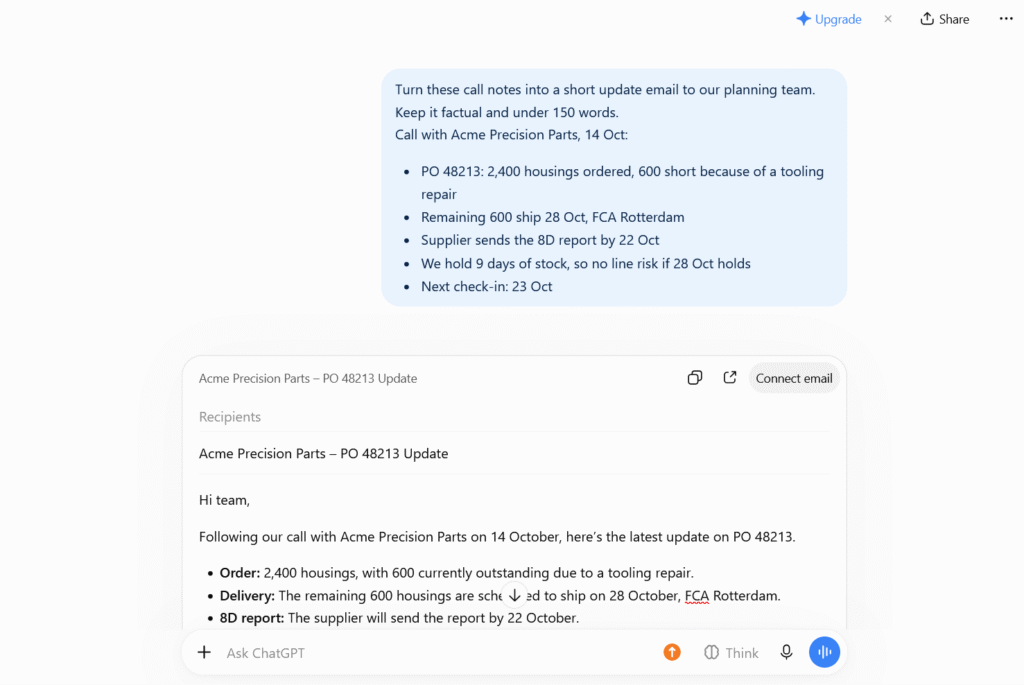
ChatGPT is the general drafting tool most teams start with. Use it when notes from a supplier call need to become a clear update email, or a requirements list a policy paragraph.
- Best for: First drafts and reformatting.
- Key features: File uploads (limited on the free plan), plus projects and custom GPTs on Plus.
- Pros: Fast at restructuring messy input; the free plan covers occasional use.
- Cons: States unverified facts with confidence, so never use it unchecked for regulatory or contractual wording.
- Pricing: Free plan; Plus at $20 a month; Business at $20 per user a month billed annually, or $25 monthly.
2. Claude
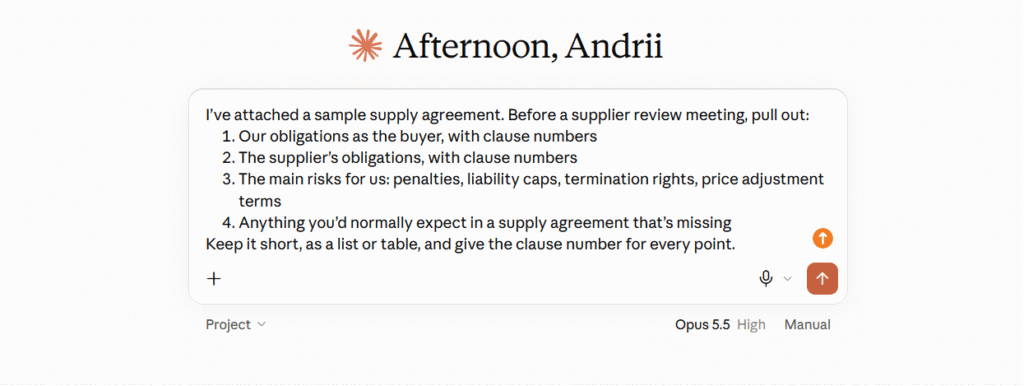
Claude is the tool to reach for when the input is long. Use it when a 60-page contract, tender pack or audit report needs its obligations, risks and gaps pulled out.
- Best for: Summarizing long contracts, tender packs and audit reports.
- Key features: Up to 1M tokens of context, depending on the model; projects for related files.
- Pros: Works across a whole document set in one conversation.
- Cons: A summary is not a legal review, so anything commercially binding needs a person to read the clause itself.
- Pricing: Free plan; Pro at $17 a month billed annually, or $20 monthly; Team from $20 per seat a month billed annually.
3. Perplexity
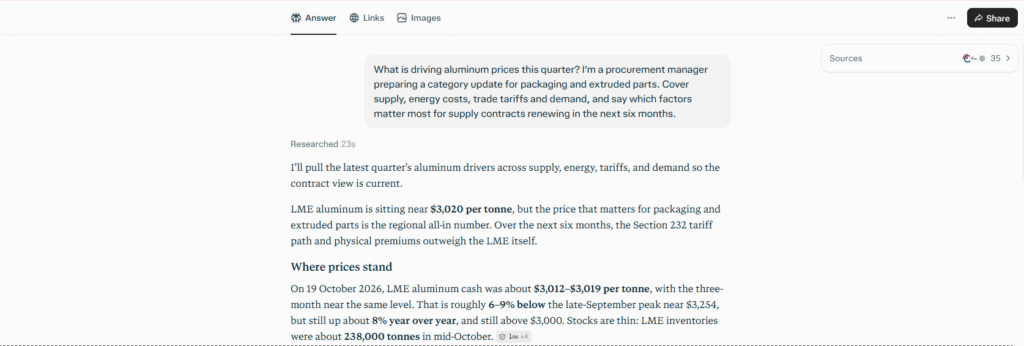
Perplexity answers research questions with its sources shown next to the answer. Use it when you are building a category strategy, checking a commodity trend or drafting a vendor shortlist.
- Best for: Supplier, market and commodity research.
- Key features: Citations in every answer; up to 50 file uploads per project on Pro.
- Pros: Every claim can be traced back to its source.
- Cons: Source quality varies, so check citations before quoting them in a board paper; it can’t see paid market reports or your spend data.
- Pricing: Free plan; Pro at $17 a month billed annually; Max, at $200 a month, is overkill for most procurement research.
4. GPTinf
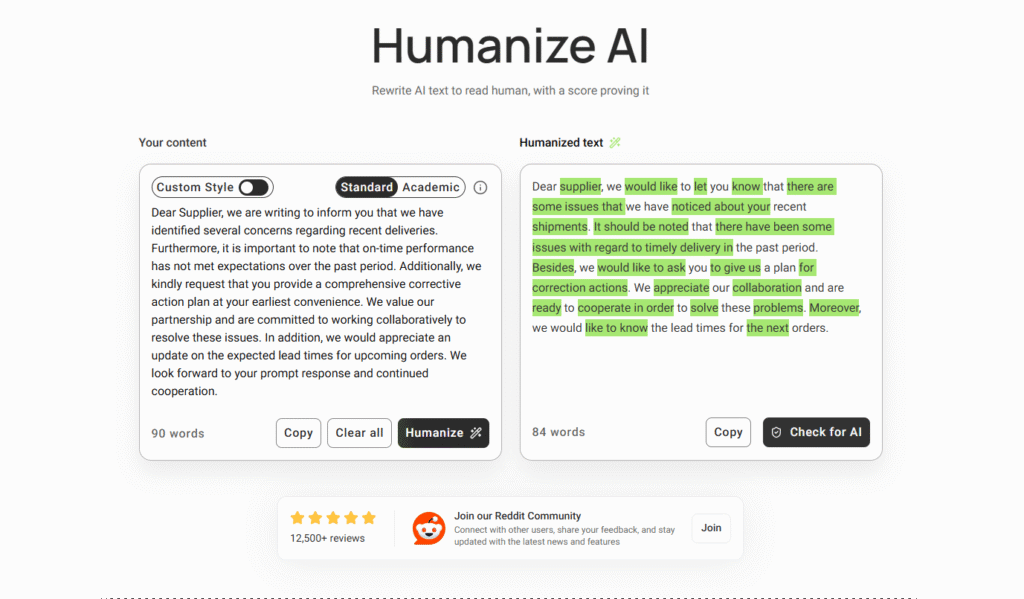
GPTinf is a rewriting tool that helps you humanize AI text in longer documents. Use it when an AI-drafted tender response or report has the right content but every paragraph runs at the same rhythm.
- Best for: Long drafts such as tender responses and reports.
- Key features: Standard and Academic modes; PDF, Word and text uploads; an AI-likelihood score under each result.
- Pros: Restructures sentences instead of swapping synonyms; uploads work on the free tier.
- Cons: It changes how a document reads, not whether it is correct; long answers take several free-tier passes.
- Pricing: Free at 300 words per request, no account needed; check the site for paid plans.
5. Grammarly
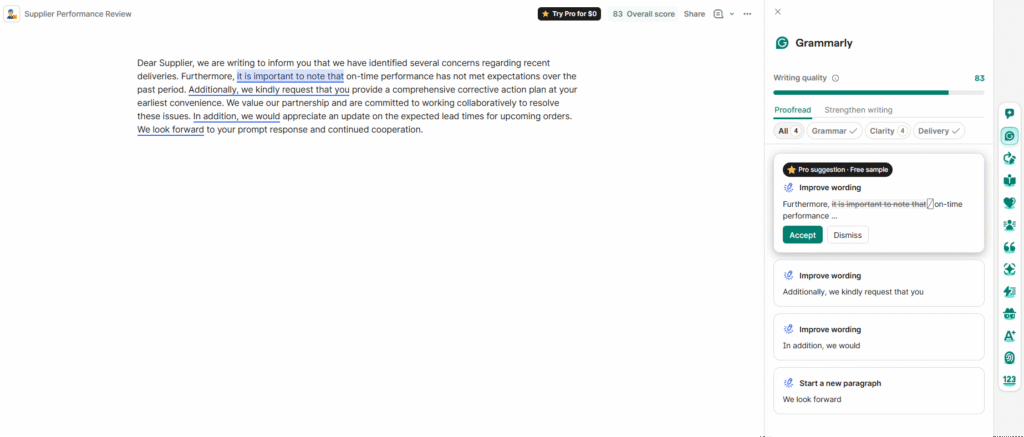
Grammarly checks grammar, clarity and tone. Use it as the last step before a supplier email or report goes out, especially if English is your second language.
- Best for: A final language check on emails and reports.
- Key features: Free spelling and grammar checks; sentence rewrites, tone adjustment and 2,000 AI prompts per member a month on Pro.
- Pros: Catches errors a quick reread misses, which helps non-native writers most.
- Cons: It nudges everyone toward one neutral style, which is partly why corporate writing reads alike, and it is built for English.
- Pricing: Free plan; Pro at $12 per member a month billed annually, or $30 monthly.
6. Humanize AI
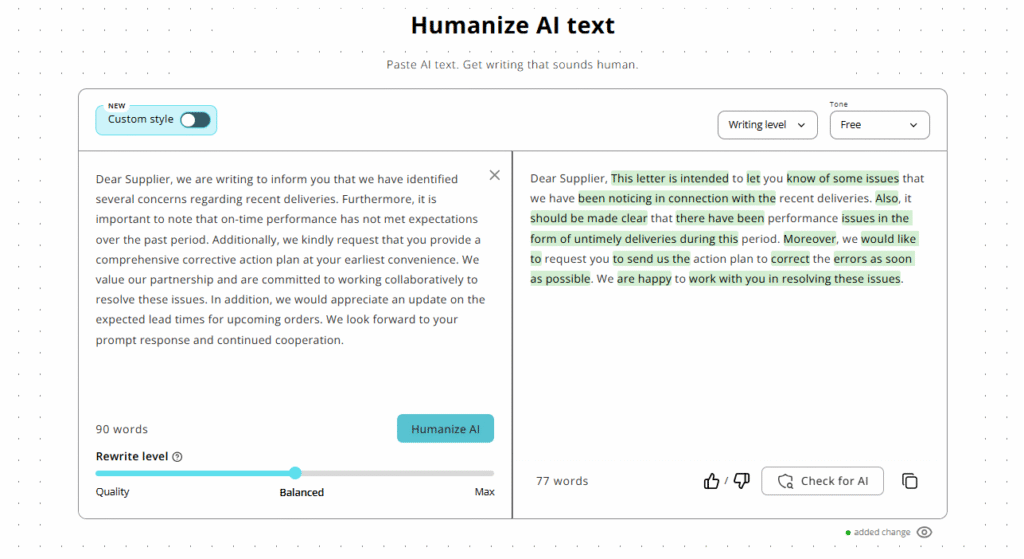
Humanize AI is an AI humanizer for short texts: it restructures an email or meeting recap without changing what you said. Use it when a supplier message is accurate but stiff.
- Best for: Supplier emails, internal updates and LinkedIn posts.
- Key features: Modes including Formal and Shorten; file upload; Custom Style, which learns your voice from up to three samples.
- Pros: Rewrites can follow your own voice; no account needed to start.
- Cons: A rewrite can’t add detail a vague message lacks, and the free limit fits an email, not a report.
- Pricing: Free at 200 words per run (400 with a free account); check the site for paid plans.
7. Notion AI
Notion AI works inside your Notion workspace, next to the SOPs and process notes it draws on. Use it when a new SOP should be drafted from an existing one.
- Best for: SOPs, process documentation and team knowledge bases.
- Key features: Notion Agent for multi-step tasks using your workspace content; AI Meeting Notes; Enterprise Search (beta).
- Pros: Drafts draw on your own documentation, kept searchable in one place.
- Cons: Of little use if your documents live in SharePoint or shared drives; full AI needs the Business plan.
- Pricing: Limited AI trial on the Free and Plus plans; Business, with full AI, at $20 per member a month.
8. Otter.ai
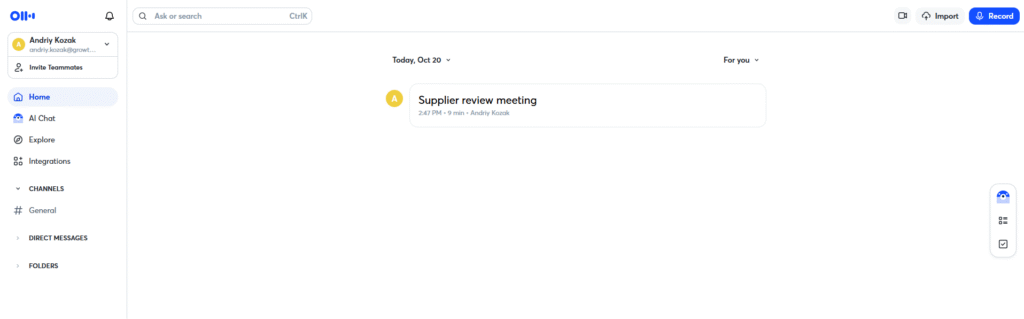
Otter.ai transcribes meetings and produces summaries and action items. Use it when a 45-minute supplier review or S&OP meeting needs minutes people will read.
- Best for: Supplier call notes and S&OP meeting minutes.
- Key features: Transcription in English, Spanish, French, German, Japanese and Simplified Chinese; summaries; translation in Otter Chat.
- Pros: Frees the chair from note-taking and leaves a record of who agreed to what.
- Cons: Arabic, Hindi and Portuguese calls aren’t transcribed, and poor audio means checking names and figures; ask before you record.
- Pricing: Free Basic plan with 300 minutes a month; Pro at $8.33 and Business at $19.99 per user a month, both billed annually.
9. Humanize Max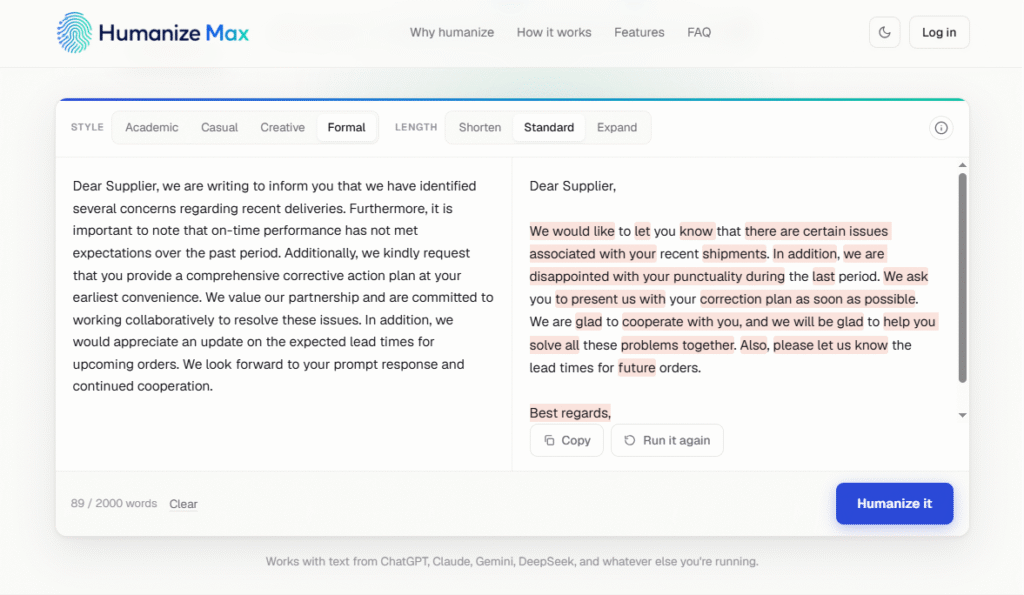
Humanize Max is an AI humanizer tool that rewrites text in the style and length you choose, as often as you need. Use it for the standard paragraphs in every tender, or when an answer must fit a word limit.
- Best for: Reusable tender text and word-limit trims.
- Key features: Four styles, including Formal; Shorten, Standard and Expand lengths; up to 2,000 words per run, changes highlighted.
- Pros: No account needed; “Run it again” gives another version.
- Cons: The newest tool here, and it only rewrites; check that part numbers and Incoterms survive unchanged.
- Pricing: Free at the time of writing; plans are still settling, so check the site.
10. Gamma
Gamma turns written analysis into a presentation. Use it when S&OP commentary has to become a steering-meeting deck without an evening in PowerPoint.
- Best for: Internal decks for S&OP and steering meetings.
- Key features: Slides from a prompt or document; PDF and PPTX import; export to PPTX, PDF and Google Slides.
- Pros: A quick first deck; export lets you finish it in your company template.
- Cons: The templated visuals suit internal meetings better than customer-facing ones, and free output carries Gamma branding.
- Pricing: Free plan with 400 starting credits; paid plans are billed per member, so check the site.
10 AI Writing Tools Compared by Category and Use Case
| Tool | Category | Use it for |
| ChatGPT | Drafting | Supplier updates and policy text |
| Claude | Long documents | Contracts, tender packs, audit reports |
| Perplexity | Research | Market and supplier research |
| GPTinf | Rewriting | Long reports and tender responses |
| Grammarly | Editing | Final language check |
| Humanize AI | Rewriting | Emails, updates, LinkedIn posts |
| Notion AI | Documentation | SOPs and knowledge bases |
| Otter.ai | Transcription | Supplier calls and S&OP minutes |
| Humanize Max | Rewriting | Reusable tender text, word limits |
| Gamma | Presentation | S&OP and steering decks |
3 Realistic Tool Stacks for Supply Chain Roles
Most people need two or three of these tools, not all ten. To check your AI skills first, try the AI competency self-assessment in SCMDOJO’s supply chain resources hub.
- Individual professional, student or job seeker. One drafting tool (ChatGPT or Claude) and one editor (Grammarly). For a CV, build around the 18 key supply chain skills employers list, and use AI to tighten wording, never to invent experience.
- Small procurement or planning team. When picking AI tools for procurement, cover research (Perplexity), drafting (ChatGPT or Claude), a rewriting pass and shared documentation (Notion AI, if you use Notion). GPTinf suits long reports and RFP answers; Humanize AI and Humanize Max suit emails and short tender sections.
- Large planning or procurement function. Add Otter.ai and Gamma, plus a one-page voice standard (preferred terms, tone by audience) so five planners don’t write in five different voices.
A short stack used every week beats ten trial accounts.
4 Data and Disclosure Rules Before You Send
AI doesn’t change the policies you work under or who answers for a document.
- Keep confidential data out of public tools. Never paste supplier pricing, contract terms or personal data into a personal AI account, and check your company’s policy first. Personal ChatGPT and Claude plans can train on your chats unless you opt out; ChatGPT Business and Claude Team don’t by default.
- Verify every figure after any AI pass, including lead times, Incoterms and clause references.
- Keep accountability with whoever signs: your name on it means you own every statement.
- Disclose AI use where it’s required: academic work, some tender processes and wherever your employer’s policy asks.
Pre-Send Checklist for Supplier and Executive Documents: 5 Checks
Run these on anything going to a supplier, tender evaluator or executive:
- It has at least one detail that couldn’t go to another supplier, such as a PO number or your last conversation.
- You’ve read it aloud and cut anything you wouldn’t say in a meeting.
- Technical terms, part numbers and figures survived every rewriting pass.
- The ask can be answered in one line.
- The tone fits the relationship: an escalation and a routine update shouldn’t read the same.
Key Takeaways
- AI handles the draft; you own the judgment and the voice.
- Multilingual teams gain the most when the output is edited, not sent as generated.
- Rewriting fixes how a document reads, not what it says. The specifics and the checks stay with you.
- Tool skill is a capability, not a purchase. It rests on clear communication, the subject of SCMDOJO Academy’s Communication & Facilitation in Procurement
Conclusion: 3 Things to Do This Week
AI in your writing isn’t the problem; a document with no trace of you in it is. This week:
- Run the three-document self-check on what you sent last week.
- Use one drafting tool and one editing tool on every document for a week.
- Check which AI plans your company allows and whether they keep your data out of model training.
Suppliers, stakeholders and hiring managers judge you by what reaches their inbox, so make sure you are still in it.