Remote and hybrid work have exploded the number of laptops, licenses, and cloud subscriptions on your plate, turning that asset spreadsheet into a frantic game of Whac-A-Mole. Disciplined IT Asset Management software (ITAM) fixes the chaos by discovering, cataloging, and steering every asset from purchase to retirement—slashing waste and tightening security. TechRadar calls modern IT Asset Management software “the central nervous system for the distributed tech stack,” naming AI-powered discovery and SaaS-license optimization 2026 must-haves. Yet 53 percent of teams still lack full visibility, Flexera warns, risking audit fines. This guide compares the five best IT Asset Management software platforms to tilt the odds toward you.
Our method: how we ranked the leaders
We didn’t pick names at random. We reviewed industry round-ups, peer reviews, and analyst notes to see which vendors surface again and again, then built a scorecard that reflects what IT teams manage every day.
Depth of features carried the most weight at 30 percent. A platform must discover hardware, software, and now cloud assets without extra configuration. Integration strength and workflow automation followed at 20 percent, because isolated data helps no one. Ease of use earned another 20 percent; if your staff won’t open the tool, nothing else matters.
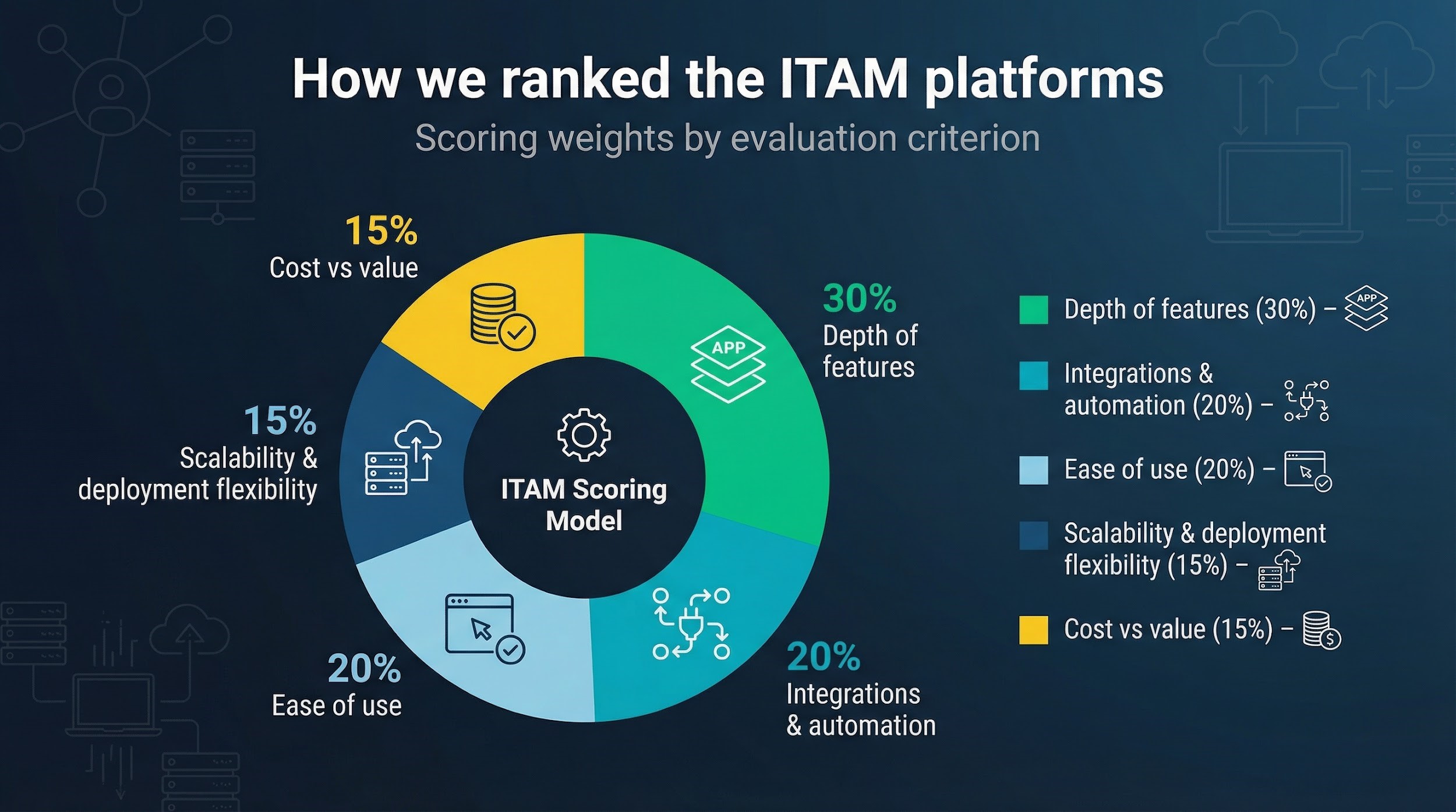
Scalability and deployment flexibility covered 15 percent, acknowledging that some teams still need on-prem while others rely on SaaS. The final 15 percent went to cost versus value, weighing license fees against real savings from clean audits and reclaimed spend.
We added up the points, debated close calls, and arrived at the five platforms you’ll meet next.
Measuring platform effectiveness requires clear KPIs. The Essential Supply Chain KPIs Measure, Analyze, Improve Course teaches how to define, track, and improve performance metrics—skills that help in evaluating ITAM tools and processes.

Top 5 platforms at a glance
Before we dive into the one-by-one reviews, it helps to see the contenders side by side. The grid below shows where each platform shines, how it’s deployed, and the standout capability you can highlight in your next staff meeting.
| Platform | “Best for” tagline | Deployment |
| Pricing snapshot* | Discovery method | License management |
| Allwhere | Smooth procurement & onboarding | Cloud service |
| Custom, service-based | Shipment status + inventory sync | Hardware focus |
| ServiceNow | Enterprise, one-platform IT Ops | SaaS |
| High, annual subscription | Agent + agentless | Full SAM module |
| Freshservice | Mid-market ITSM with AI flair | SaaS |
| $49+ per agent/mo | Agent-based | Built-in compliance alerts |
| ManageEngine AssetExplorer | On-prem or cloud value choice | On-prem / SaaS |
| $795+ perpetual (on-prem) | Agent + agentless | Deep templates |
| Asset Panda | Mobile-first, unlimited users | SaaS |
| Quote, per-asset | Import + manual | Basic counts |
*Pricing reflects commonly quoted entry tiers as of Q1 2026 and may vary by region or volume.
Keep this table handy. As we unpack each platform, you’ll see how these headline differences translate into day-to-day wins or headaches for your team.
For IT and supply chain professionals looking to leverage AI, automation, and cloud solutions in asset management, the Supply Chain Digitalization Course provides practical insights into transforming operations with digital tools.

1. Allwhere: best for procurement to onboarding harmony
Picture the first week for a remote new hire. With the procurement-and-onboarding platform Allwhere, the laptop lands on day one already imaged to company specs, and you can see its status before the cardboard hits the doorstep. The platform unites logistics and inventory in one dashboard, so shipping equipment feels as simple as flipping a switch.
Allwhere tracks every device across three states: on the road, on the desk, or on the way back to your depot. Inventory updates the moment a courier scans the box, so you always know what’s in circulation. That real-time view ends the “where’s my spare MacBook?” mystery without another Slack ping.
Connect your HRIS and single sign-on once, and the system auto-creates shipping orders when a recruiter marks a candidate as hired. Offboarding works in reverse; the departure date triggers a prepaid return label and locks the asset the moment it re-enters your warehouse.
There is a trade-off. Allwhere does not crawl your network or reconcile Adobe licenses. It focuses on the physical life cycle and does it with polish. Pricing is quote-based and makes the most sense when you are onboarding dozens, not singles, each month.
If your biggest headache is global device logistics rather than software sprawl, Allwhere can turn asset chaos into a ship-shape process you can explain in one slide.
2. ServiceNow: enterprise power on a single canvas
ServiceNow is the Swiss Army knife managers reach for when the asset count tops 100,000. Its IT Asset Management module sits on the same Now Platform that already handles incidents, changes, and a living CMDB, so every workflow speaks the same language.
That shared data model pays off fast. Open a ticket and you see the user’s laptop, warranty status, and software installs without switching tabs. Finance benefits too; purchase orders flow in from procurement, depreciation runs on schedule, and a renewal alert arrives months before a maintenance contract expires.
Discovery is both broad and deep. Agents capture granular data from roaming laptops, while network scans pull in switches, printers, and virtual machines. Add the Software Asset Management add-on to this IT Asset Management software, and you gain license reconciliation strong enough to withstand an Oracle audit.
The flip side is complexity. ServiceNow’s flexibility can feel like a blank canvas. Implementations often span quarters, not weeks, and you will want an admin who speaks both ITIL and JavaScript. Subscription pricing mirrors that scale.
Choose ServiceNow if you already live in its ecosystem or need rigorous asset governance across continents. It is heavyweight software for heavyweight challenges, and it rarely breaks a sweat.
3. Freshservice: mid-market ITSM with a hint of AI
Freshservice feels like a consumer app polished with ITIL brains. Guided wizards replace thick binders, so you import assets before lunch rather than next quarter.
Discovery starts with an agent that scoops hardware specs, installed software, and warranty dates the moment a device checks in. Pair that data with the “Freddy” AI assistant and you receive smart prompts, such as reclaiming an unused Photoshop seat or nudging a user toward self-service for a forgotten password.
Tickets and assets live in the same pane. A support rep clicks an incident, sees the employee’s laptop history, and triggers an automated workflow to replace a failing drive without jumping between tools. That tight link explains why many teams move to Freshservice when their spreadsheet finally gasps its last.
Pricing is predictable: plans start around $49 per agent each month, with asset management available at the Growth tier. Because you pay per agent, not per employee, small IT squads that support a large workforce get favorable math.
Limitations? Large organizations may need deeper license analytics or more flexible reporting. And because network sweeps rely on the agent, unmanaged endpoints stay dark unless you integrate Intune or SCCM.
Freshservice lands in the Goldilocks zone for growing companies that want full ITAM power without adding headcount or a sky-high invoice.
4. ManageEngine AssetExplorer: on-prem flexibility meets budget sense
Some teams still need their data to stay behind the firewall. AssetExplorer meets that need without wrecking next year’s refresh budget. Install it on a Windows or Linux server, point it at your network, and start seeing assets flow in through agentless scans for quick wins or agents when you need deeper detail.
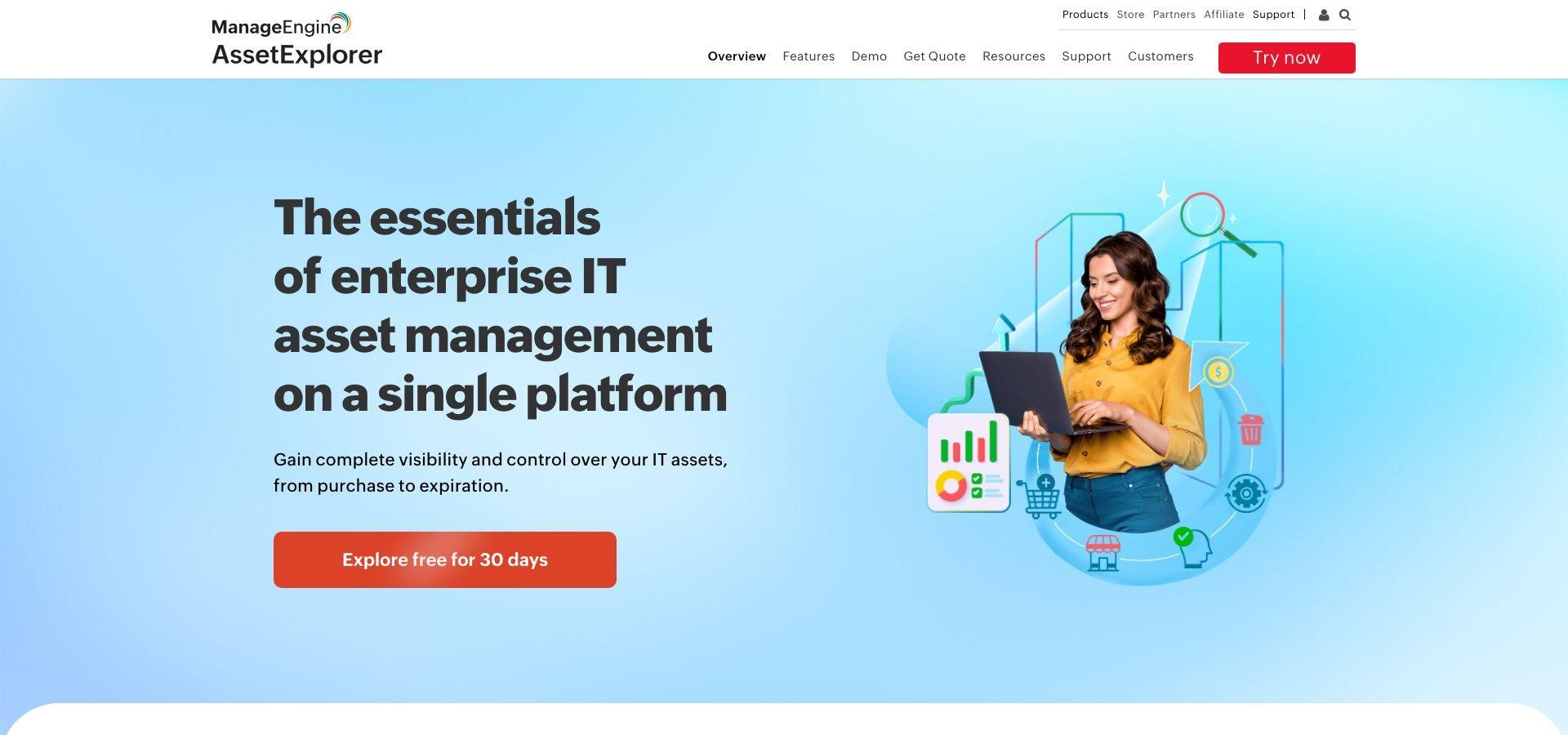
The software license module is a pleasant surprise at this price. AssetExplorer maps installs to entitlements, flags over-deployment, and even handles tricky license types like OEM or concurrent use. Finance also benefits from purchase and depreciation tracking that turns audit season from panic to paperwork.
Pricing is asset-based, not user-based. Unlimited technicians can explore the console, ideal for lean IT shops where everyone wears three hats. A perpetual license starts around $795, and a free tier covers 25 assets when you just want to kick the tires.
Consider two cautions. The interface looks utilitarian next to glossy SaaS rivals, and advanced endpoint controls live in sister products you may need to bolt on. If you value ownership, offline access, and steady feature growth without subscription creep, AssetExplorer is the dependable workhorse in this race.
5. Asset Panda: mobile-first tracking with unlimited seats
If your techs keep a phone in one hand and a barcode scanner in the other, Asset Panda feels instantly familiar. The mobile app is the main attraction, letting anyone scan a QR code, update an asset’s status, and snap a proof-of-condition photo before the elevator doors close.
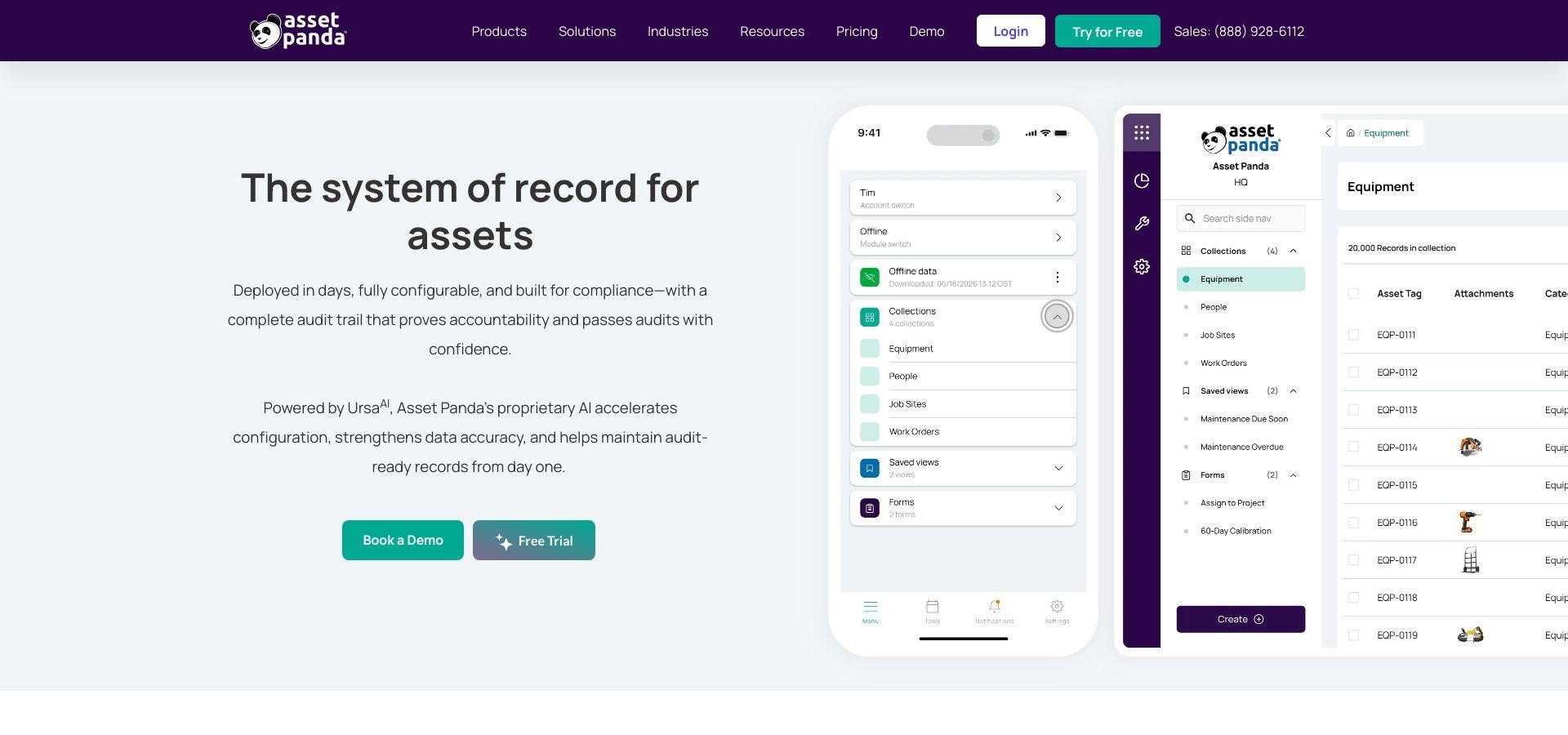
Customization comes next. Every field, workflow, and notification can be tweaked without code, so you can track studio lighting gear alongside laptops without stretching a definition. Because the license allows unlimited users, facilities, finance, and even marketing can jump in without triggering a budget review.
What you will not find is deep software reconciliation or built-in ticketing. Asset Panda is a focused asset database, not a full ITSM stack. Pricing is quote-based and scales with asset count; large inventories pay more, but teams with many hands and fewer items see favorable math.
Choose Asset Panda when real-time, on-the-floor updates matter more than multi-module process orchestration. It keeps your inventory honest by making data entry as quick as a selfie. That simplicity drives adoption like nothing else.
Buyer’s checklist: zero in on the right fit
Step back from the new-feature buzz and ask the questions that keep projects on time and budgets intact.
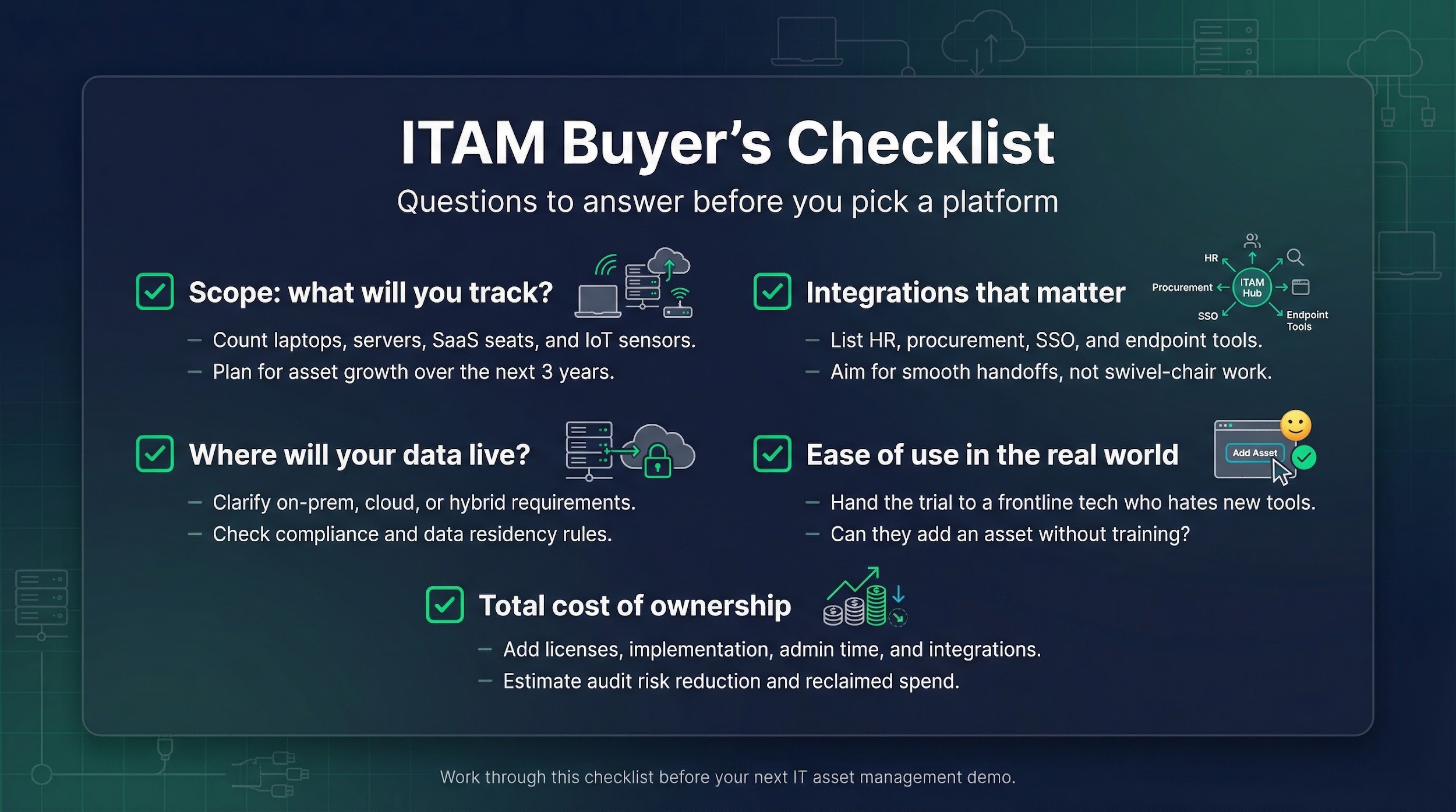
Start with scope. Count every laptop, server, SaaS seat, and IoT sensor you expect to track over the next 3 years. A tool that prices by asset can feel cheap now and painful later if your fleet doubles.
Next, decide where the data will live. Strict compliance rules might push you toward an on-prem install like AssetExplorer, while fast-moving teams often prefer cloud updates that land overnight.
Integration is the linchpin. List the systems that already anchor your workflows HR, procurement, single sign-on, endpoint management. The smoother the handoffs, the less swivel-chair work your analysts will do.
Ease of use matters more than many admit. Spin up a trial and hand it to the frontline tech who dislikes new software. If they add an asset without a training deck, you have a winner.
Finally, map total cost of ownership. Add licenses, implementation, admin hours, plus the upside of reclaimed spend or audit peace of mind. When you show leadership a 3-year cash-flow benefit that beats the subscription, approval comes faster.
Work through these checkpoints and the best platform often reveals itself before the demo ends.
Conclusion
IT Asset Management is no longer about counting laptops once a year. In a world of remote hires, SaaS sprawl, and tighter audits, the right ITAM platform becomes a daily operating system for IT not a back-office database.
Our comparison shows there is no universal “best” tool, only the best fit. Allwhere shines when device logistics and employee onboarding drive your pain. ServiceNow dominates at enterprise scale where governance and cross-module workflows matter most. Freshservice balances power and approachability for growing teams, while ManageEngine, AssetExplorer delivers ownership and value for organizations that want control without subscriptions. Asset Panda wins hearts on the ground, where mobile speed and adoption matter more than complex license math.
The common thread? Visibility. Teams that know what they own, where it lives, and how it’s used waste less, respond faster, and walk into audits with confidence instead of crossed fingers.
Choose a platform that fits how your team actually works today and can still keep up with where your stack will be tomorrow. The payoff isn’t just cleaner data; it’s calmer IT operations and smarter spending, year after year.
Frequently Asked Questions (FAQ)
What is IT Asset Management (ITAM)?
IT Asset Management is the practice of tracking, managing, and optimizing technology assets hardware, software, and cloud resources across their entire lifecycle, from purchase and deployment to retirement and disposal.
How is ITAM different from IT Service Management (ITSM)?
ITAM focuses on what you own and use, while ITSM focuses on how services are delivered and supported. Many modern platforms, such as ServiceNow and Fresh service, combine both so asset data directly informs incident, change, and request workflows.
Do small or mid-sized companies really need ITAM software?
Yes. In fact, smaller teams often benefit more. Without automation, spreadsheets break quickly as remote work, SaaS subscriptions, and employee turnover increase. A lightweight ITAM tool can prevent overspending and reduce support workload long before enterprise scale.
Agent-based vs. agentless discovery: which is better?
Neither is universally better it depends on your environment.
- Agent-based discovery provides richer data for laptops and remote devices.
- Agentless discovery works well for servers, network gear, and quick scans.
Many top platforms support both, letting you mix methods as needed.
Can ITAM software help reduce software license costs?
Absolutely. Tools with Software Asset Management (SAM) features identify unused or over-allocated licenses, flag compliance risks, and help reclaim spend. This is often where ITAM delivers its fastest ROI.